




































From setup to growth, Citera keeps moving.
Connect what Citera needs once. The agent keeps learning, deciding and executing, while every control remains available to you.
Onboard your brand
Citera uses your domain, market and competitors to prepare your workspace. Visibility results follow your initial scan and analytics refresh; timing depends on setup and processing.
Start for free


GETTING STARTED
From your workspace to your first visibility report and content draft: know what to connect, what to review and when each milestone is ready. Account creation is a separate step from setup, scanning and content generation.
Add your domain, brand, language and market. Check the business profile, competitors and suggested prompts, then select the models available in your plan. Add accurate business facts and writing instructions to your Knowledge Base.
For AI visibility tracking, start with your brand, tracked prompts and selected models. Analytics and publishing connections serve separate purposes. Optional reporting connections include Google Search Console, GA4 and Bing Webmaster. You need access to the correct property to authorize them; the Keywords view needs Search Console or Bing.
For blog generation, a default author is required. A supported CMS connection is required to publish to your website, but drafts can wait in the calendar without it. Social connections are needed only for the supported social workflows you choose to use.
After your initial scan completes and analytics refresh, review brand mentions, answer position, sentiment, competitors and cited sources for your tracked prompts and selected models. These form a starting baseline, not a growth result. Automatic scan frequency depends on your plan and analytics refresh daily. There is no fixed first-report turnaround published; signup alone does not mean the report is ready.
Connected traffic data arrives separately. Search Console’s first sync runs within a few minutes after connection, according to our setup guide. This is not the completion time for an AI visibility scan or a content draft.
The calendar plans topics up to 30 days ahead. A queued topic is not a finished draft. About two days before scheduled publication, Citera researches, writes, checks the article and creates a hero image; this usually takes minutes once drafting starts. A default author must exist. The exact time of your first draft depends on setup and the schedule, so it is not promised within 60 seconds.
Open a Draft to inspect and edit the headline, summary, article, author and image. With autopilot off, it waits for approval. Check business facts and claims before enabling the publishing workflow you want; a CMS connection and the relevant publishing settings are separate from account creation.
Need help choosing prompts, connecting a property, adding an author or understanding a pending scan or draft? Contact the Citera team with your domain and the step you are on. Ask about onboarding assistance and the support available for your plan.
Features and Benefits
What Citera ships while you keep moving.


Insight & Competitors
Live Reporting & Deep Competitor Analysis
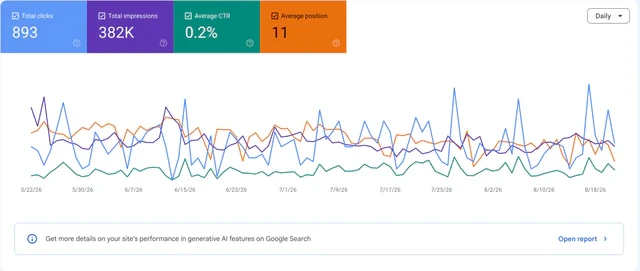
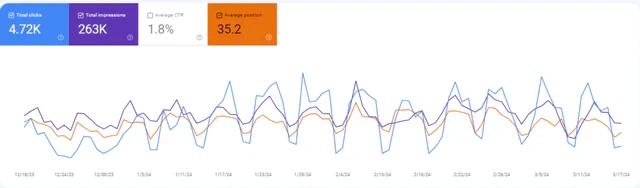
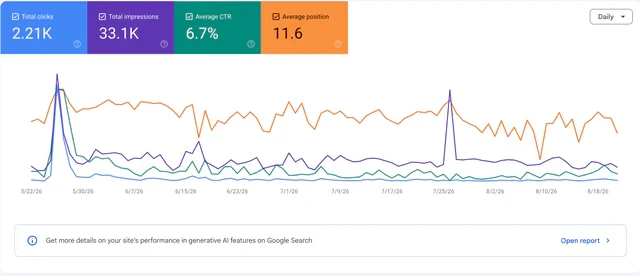
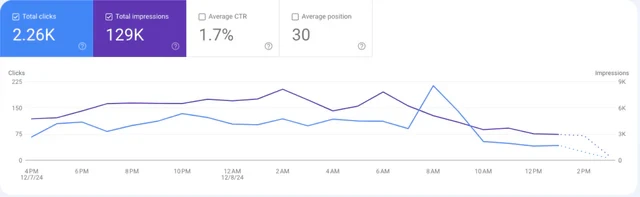
Track your impressions, clicks, and rankings in real time, and see exactly what your competitors rank for so you can take those positions.

CONTENT
Content Calendar
Your whole content pipeline across all platforms (socials, website, blogs, third-party, etc…) planned, scheduled, and published automatically, so you always know what is shipping.

KNOWLEDGE
Brand Knowledgebase
Teach the agent your product, voice, and positioning once, and it keeps everything it creates consistent with your brand from the start. Safe, quick and easy.

REACH
Automated Multichannel Publishing










Integrations
Connect the stack you already use.
Bring your CMS, analytics, social channels and collaboration tools into one execution layer.